
Release Notes
Release Notes – Version 4.2.0
Most analytics tell you how many people showed up. The useful questions sit either side of that number: which campaign sent them, and where they went when they left. Version 4.2.0 rebuilds the analytics dashboard around one consistent view, adds campaign and outbound-click tracking so you can see both ends of a visit, brings a true realtime mode with a wall display, and makes A/B title tests work on every theme.

A redesigned analytics dashboard
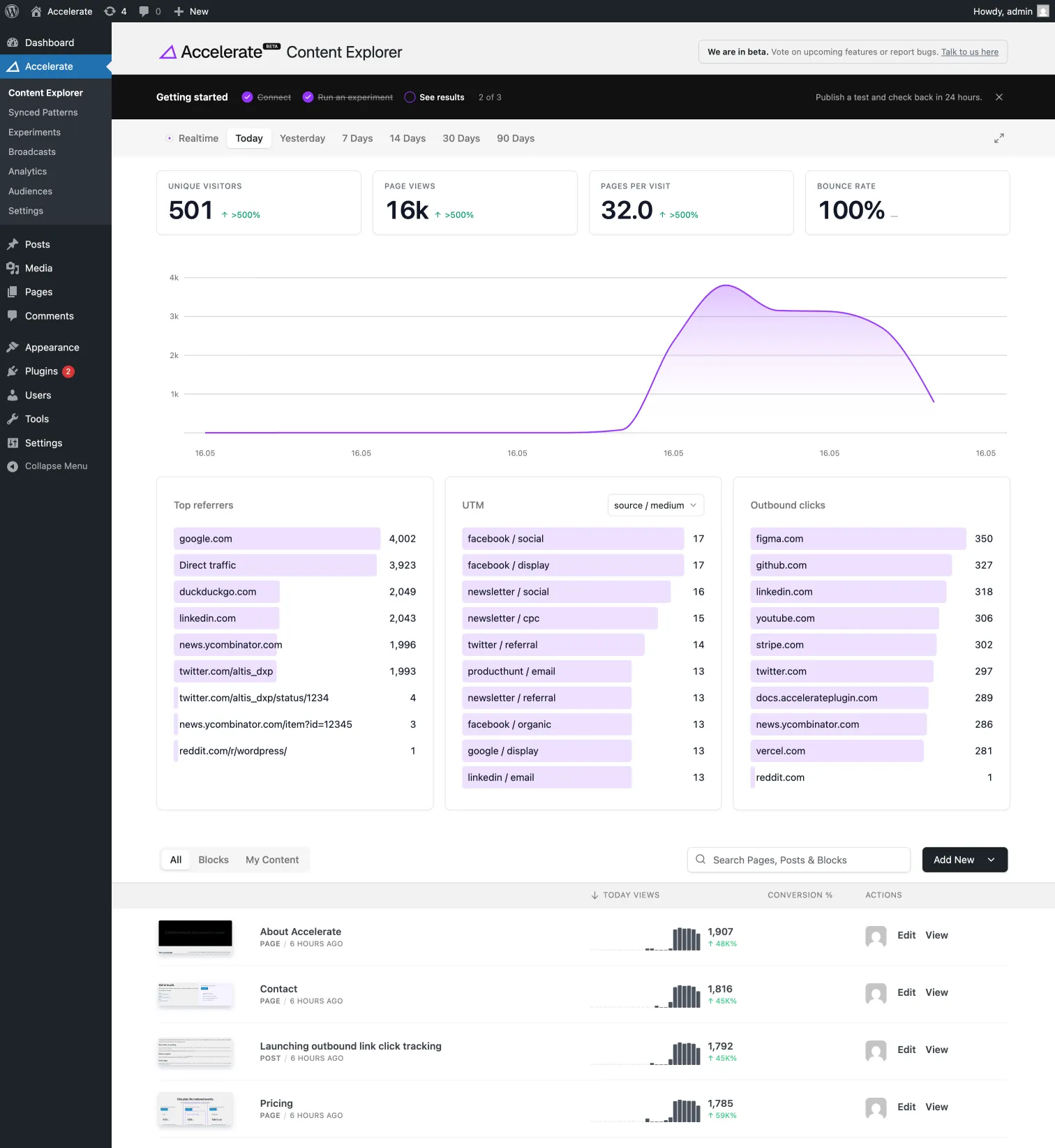
Analytics and Content Explorer now share the same view, the same chart, and the same headline numbers. The whole page is built around one timeframe selector and a row of metrics that compare themselves to the period before.
- One timeframe selector: Realtime, Today, Yesterday, or the last 7 / 14 / 30 / 90 days, pinned to the top as you scroll.
- Headline metrics with deltas: Visitors, Page views, Pages per visit and Bounce rate, each with an up or down arrow against the previous period, colour-coded so good news reads as good news.
- Calendar-aware comparisons: "Today" measures against the same hours of yesterday, not the full day, so a quiet morning doesn't show up as a crash.
Realtime, and a wall display
For the teams who watch their numbers in real time, and the ones who want them up on a screen in the office.
- Live updates: in Realtime, the chart, the numbers and the lists all refresh together every 30 seconds, so what's on screen is always current.
- Display mode: one click goes full screen and hides the WordPress chrome, ready for the office TV.
Campaign and outbound tracking
Two new views connect the dots on either side of a visit: where people came from, and where they went.
- Top Campaigns: your UTM-tagged traffic, grouped into a campaigns view and broken down by source, medium and campaign. "Which newsletter drove this" stops being a guess.
- Outbound click tracking (opt-in): see which external links visitors click on their way out, like affiliate links, partners, or your own store on another domain. It records the destination site only, so there's nothing sensitive to manage, and switching it off never loses your history.
- Click-to-filter map: click any country to filter the whole dashboard to it.
A/B testing on every theme
Headline A/B tests now run on block and full-site-editing (FSE) themes, so whatever theme you're on, your title tests go live and start splitting traffic.
- Block theme support: title tests run on block and FSE themes, not just classic ones.
- Reliable controls: pause, resume and traffic-split changes save exactly as you set them, with clear feedback every step of the way.
Other Improvements
- Sharper audience counts: audience totals now tie precisely to each segment.
- Steadier personalization: the same visitor sees the same experience across every session.
- Fuller reports: attribution and landing-page reports now draw on the complete dataset.
Point it at your traffic and see where the story goes. Best the dashboard has looked yet, imho. We'll see.